Scan a sticker. Get everything that matters about that machine.
Every asset on the plant floor gets a signed QR sticker. Anyone with a phone can scan it for manuals and identification. Authenticated techs see service history and field notes. Engineers can launch a Luthier vision inspection right there. Admins can manage the asset. One QR, four tiers, zero printed binders.
- Manuals
- Maintenance
Reports - Vision Scanning
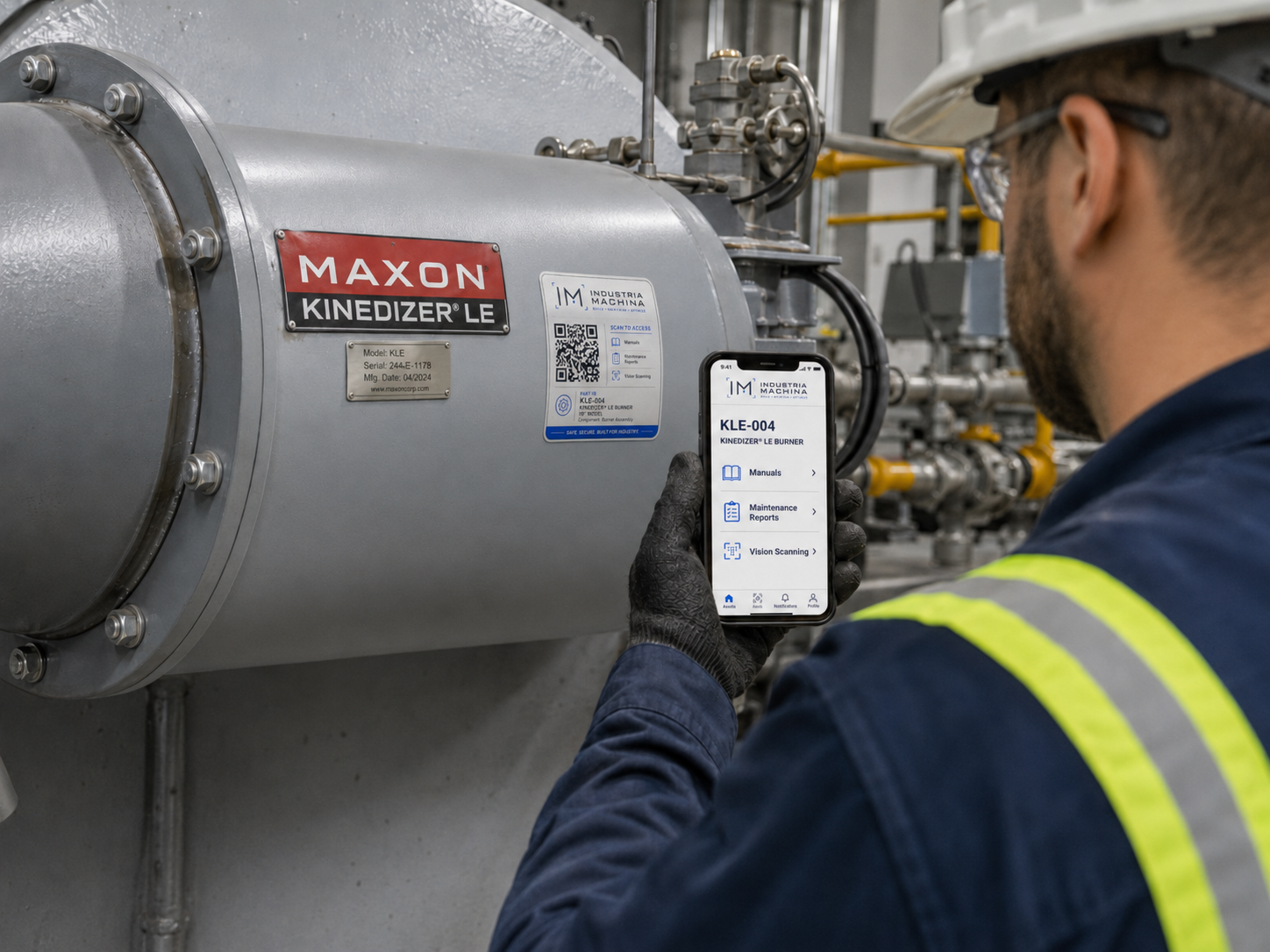
Built for gloves, grease, and 110 °F days
Stickers are laminated for chemical and UV resistance and sized to fit on the asset’s data plate, frame, or nearest accessible flat surface. The QR uses high error-correction so a thumbprint or scuff doesn’t kill the scan. The visible "Scan to access" affordances communicate what’s behind the code before the tech even pulls out their phone — lowering the activation barrier for routine documentation lookups.
Four sections, gated by role
- Manufacturer manuals
- Datasheets
- Asset identity (part ID, location)
- Maintenance history
- Open work orders
- Service notes from prior visits
- Run a Luthier vision inspection
- View raw inspection records
- Compare runs against equipment baseline
- Re-pair sticker to physical asset
- Transfer location
- Decommission / archive
- Manage role assignments
From mint to retirement
- 01 Mint
A signed, tenant-scoped part ID is generated and bound to the asset record in the registry. The ID is the QR’s payload.
- 02 Print
The sticker is laminated with industrial UV-resistant film, sized for the asset surface (5"×2.5" standard). Each one carries the IM brand, the part ID, model line, and three access affordances.
- 03 Install
Tech fixes the sticker to the asset and scans it on first visit. Their phone GPS + the company directory pair the QR to a physical location and the responsible service team.
- 04 Use
Every subsequent scan resolves the same canonical URL. Access tiers are enforced server-side based on the scanner’s authenticated session.
- 05 Re-pair or retire
When equipment is moved, replaced, or decommissioned, admins re-pair or archive the sticker. The QR’s payload never changes — only the asset behind it.
Try it for the Kinedizer LE
The QR on the right encodes the actual URL of our demo asset page. Scan it with your phone (you’ll land on the same page as if you’d walked up to a real Maxon Kinedizer burner), or just click through.